Update
Newest version
Better Vest Mobile 9.0.5
Half the size, so it opens faster. Vest's trade pop-ups no longer fill the screen when you copy, and new versions reach you within 10 minutes.
On an iPhone
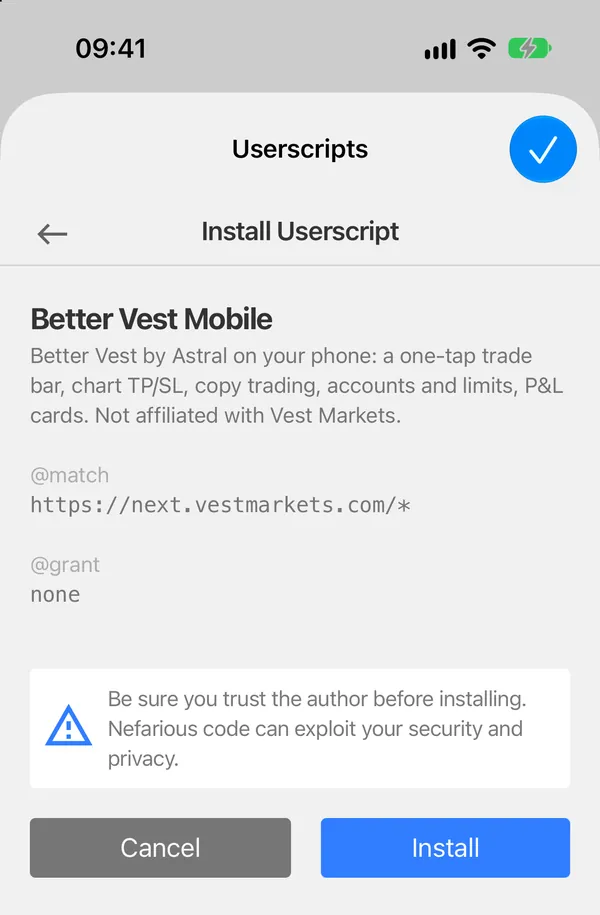
- Tap Get 9.0.5 in Safari. Safari shows the script’s text.
- Tap the icon at the left of the address bar, then Userscripts.
- It says Userscript Installed: Tap to re-install. Tap it, then Install.
- Reload Vest. The B menu says Mobile 9.0.5.

On Android
- Tap Get 9.0.5 in Firefox.
- Tampermonkey opens its own page for the new version. Tap Update.
- Reload Vest.
Tampermonkey also looks for new versions by itself, about once a day, so it may have it already.
How you hear about a new version
Every 10 minutes while Vest is open, Better Vest Mobile asks this site which version is the newest, so a fix reaches you fast. When there’s a newer one, it asks you once, above the dock: Better Vest Mobile 9.0.5 is out, with what changed. Update opens this page. Later asks again a day later, or as soon as there’s an even newer version.
It only asks while you’re flat, with nothing else open, and it steps away the moment you trade. The B menu also shows a row at the top saying the new version is out; Not now there hides it until the next one.
The check is a plain read of one small file; nothing about you goes with it. The privacy page has the details.
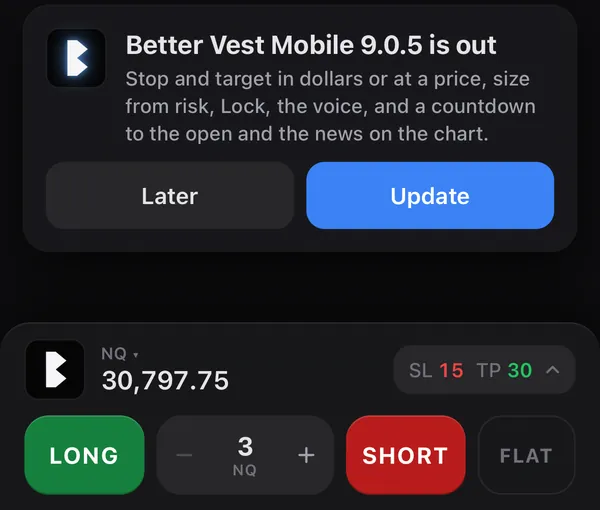
The version in the picture is an example.
Other ways to update
- iPhone: on Vest, the page menu, Userscripts, then the cloud button with the arrow at the top, Check Updates and Update. Userscripts never updates a script on its own.
- Android: Tampermonkey’s menu in Firefox has a check for userscript updates.
New in 9.0.5
- Half the size. The script is 3.6 MB instead of 7.3, so it opens and installs much faster. The voice is a separate download: only the one you pick, once, kept on your phone.
- Vest’s trade pop-ups are gone. Submitting, filled, limit placed, cancelled and TP/SL set no longer stack up over the screen, one for every account you copy to. Vest’s errors, like Order rejected, still show. To see them again: Settings, Alerts.
- New versions within 10 minutes. The phone checks for a new version every 10 minutes while Vest is open, so a fix reaches you the same hour.
- The account switcher on Portfolio. Portfolio shows your account switcher again, at the top right, where Vest has it. A tap opens your accounts.
SHA-256 of 9.0.5: adf3c54f56661e22f88d25cb5b3a8aa2476a86e7fd8000e75e7c6b0aea0d171f