Better Vest
Mobile
I put Better Vest on the phone. One-tap orders under your thumb, your stop and target set before you tap, copy trading and limits that hold, on Vest in Safari. It’s free.
Open this page on your phone, or follow the steps from here. On a computer you want Better Vest for Chrome, at bv.astrals.dev.
Version 9.0.4. About 2 minutes to install. iPhone with Safari, or Android with Firefox.
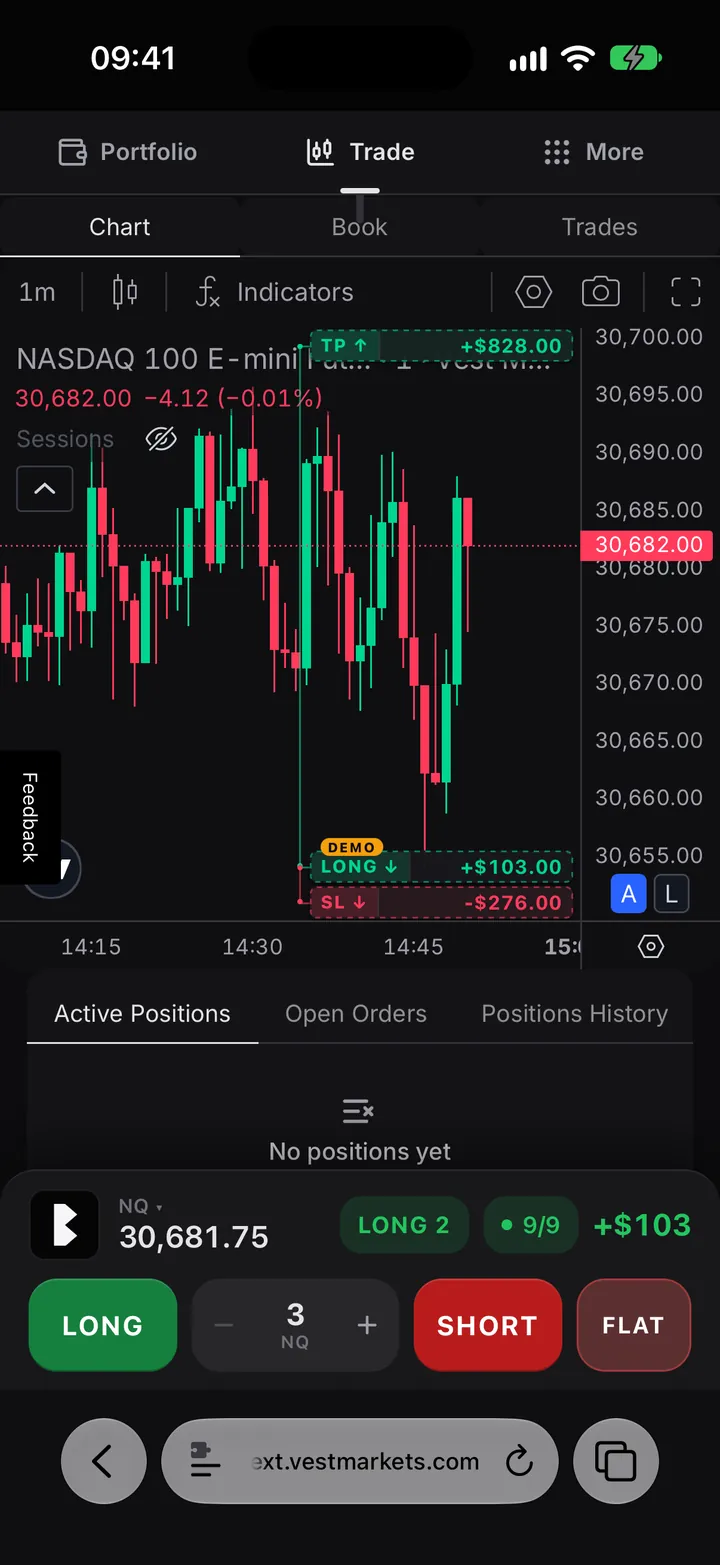
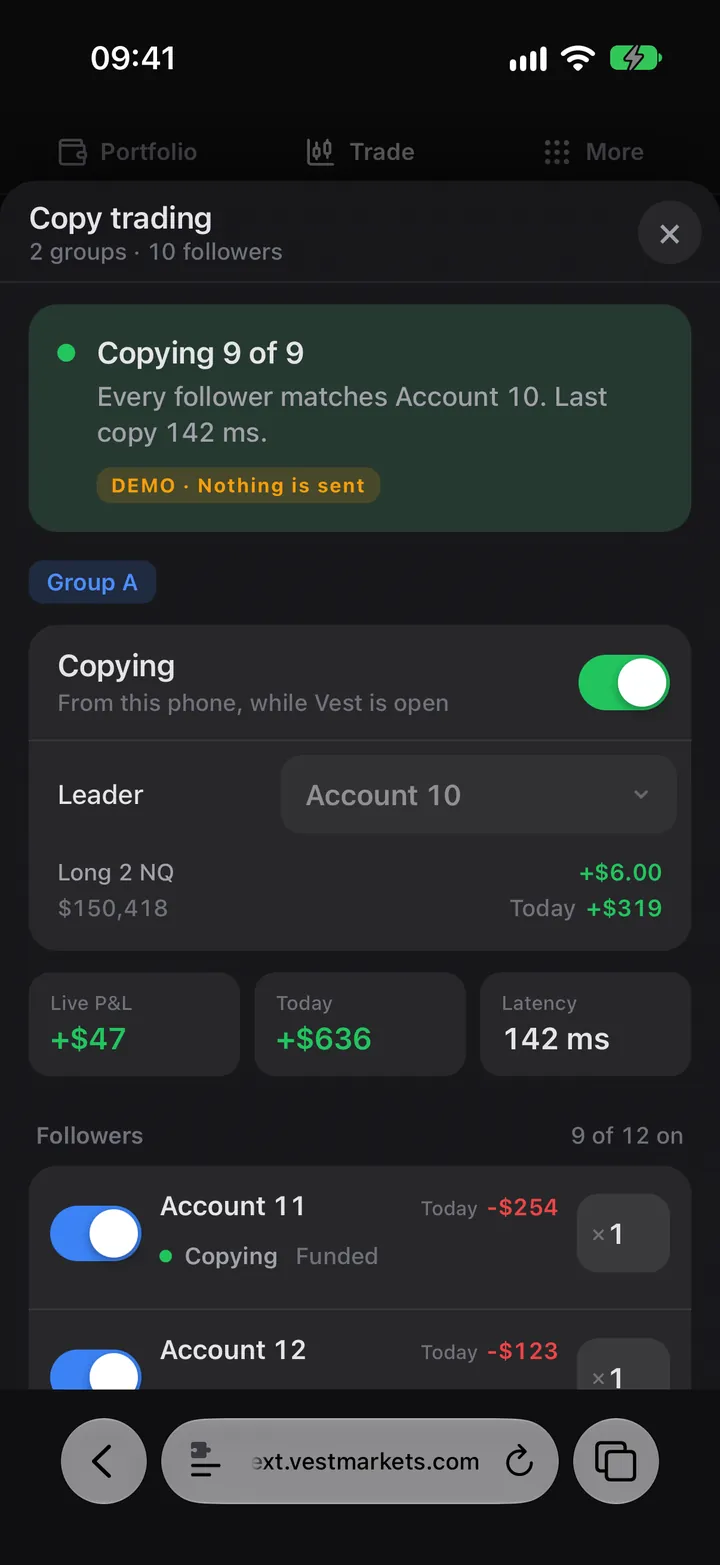
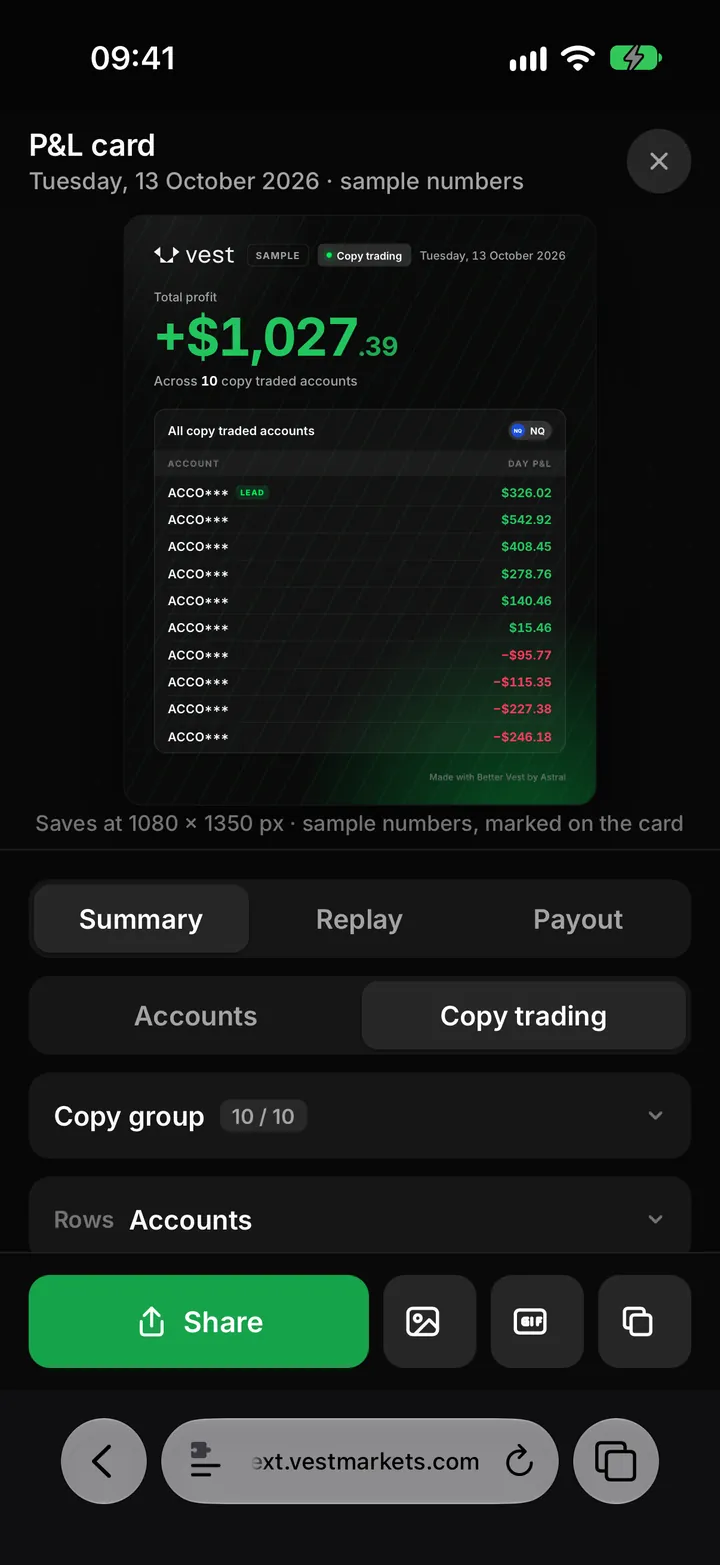
On your phone
The tools from the Chrome extension, laid out for one hand. Real screens, with the demo position and sample accounts.
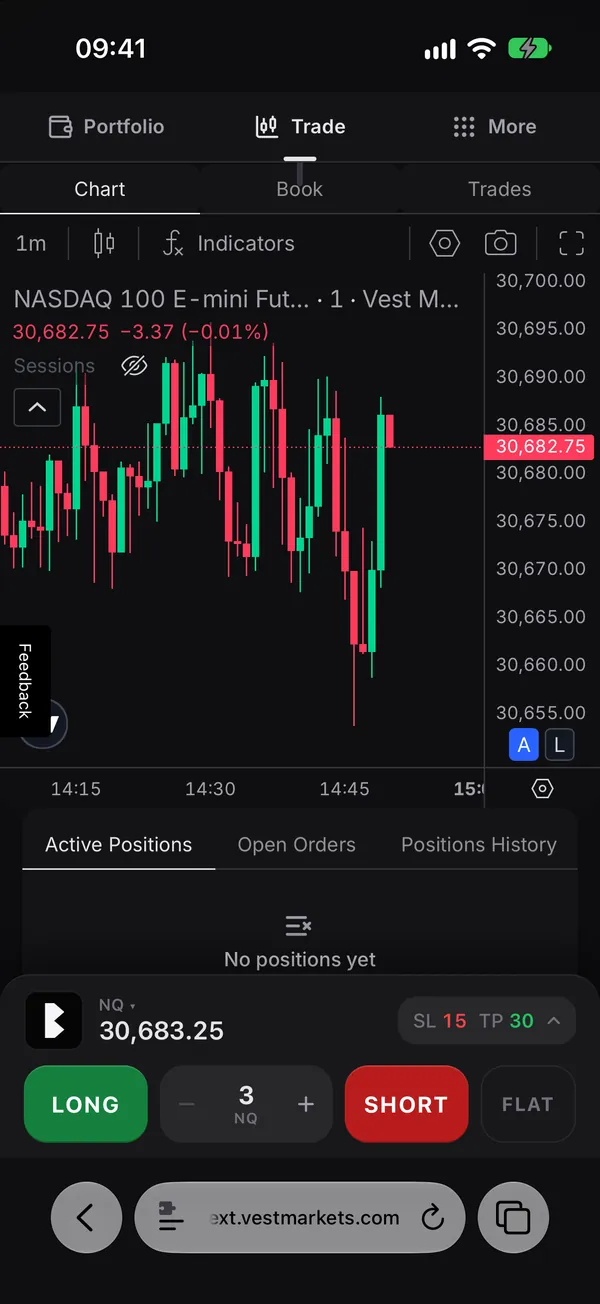
The dock
LONG, your size, SHORT and FLAT under your thumb. The B opens the rest.
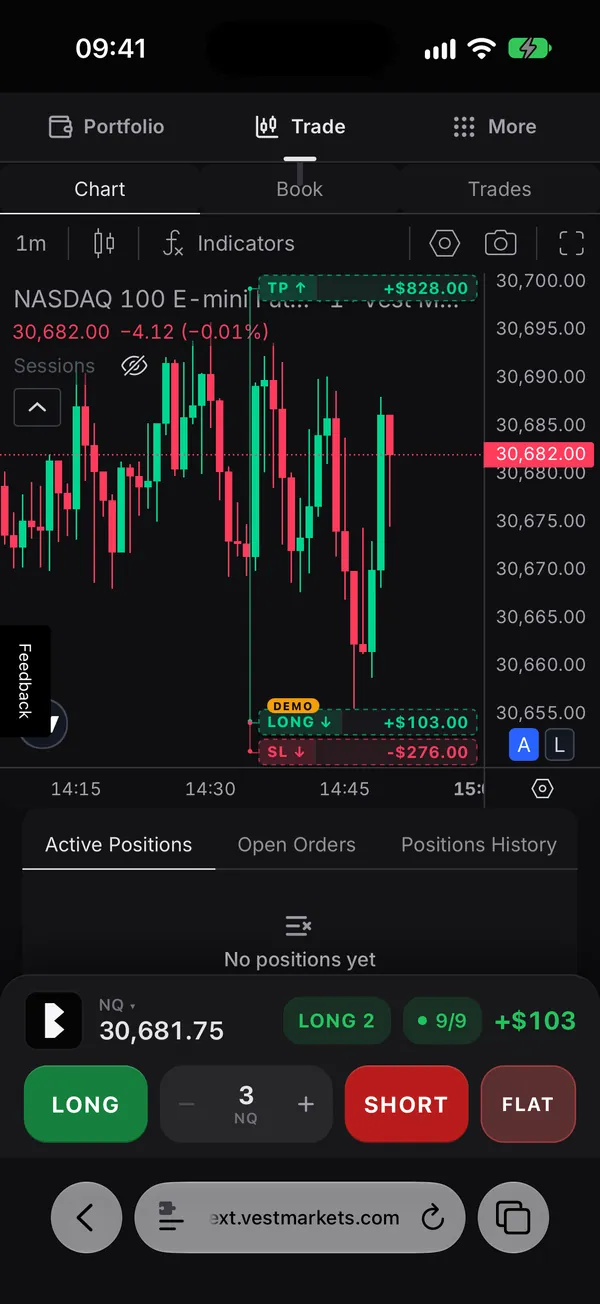
Stop and target on the chart
Your stop and target on Vest’s chart, with their dollars. Drag one to move it.
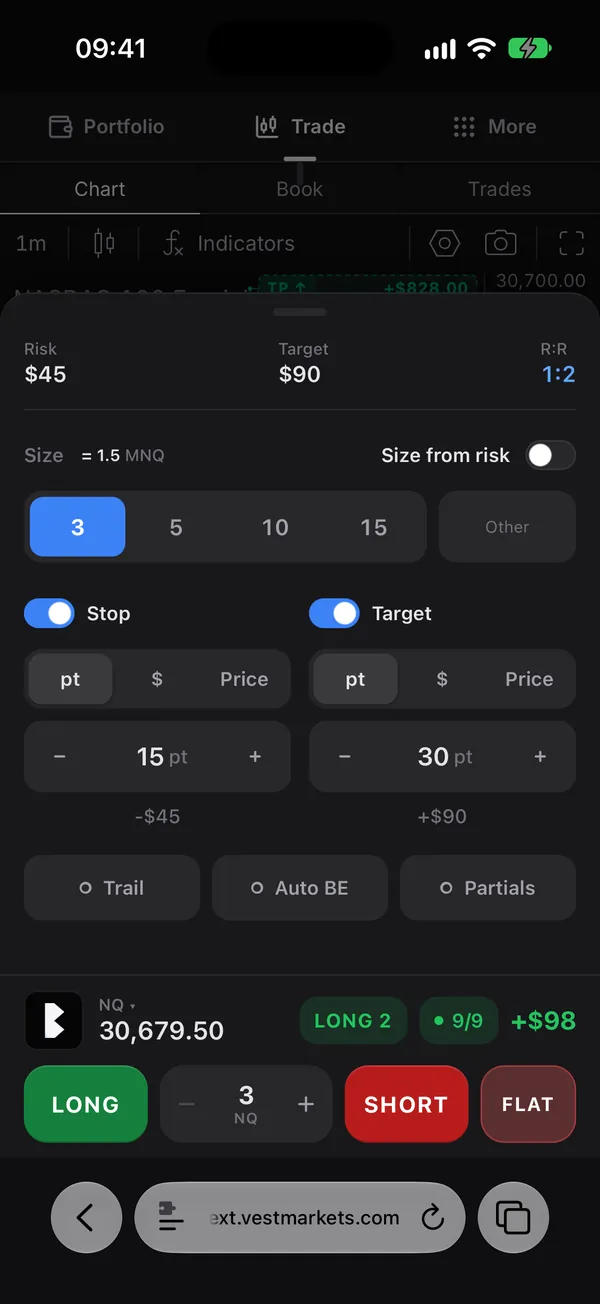
The card
Stop and target in points, dollars or at a price, set before you tap.
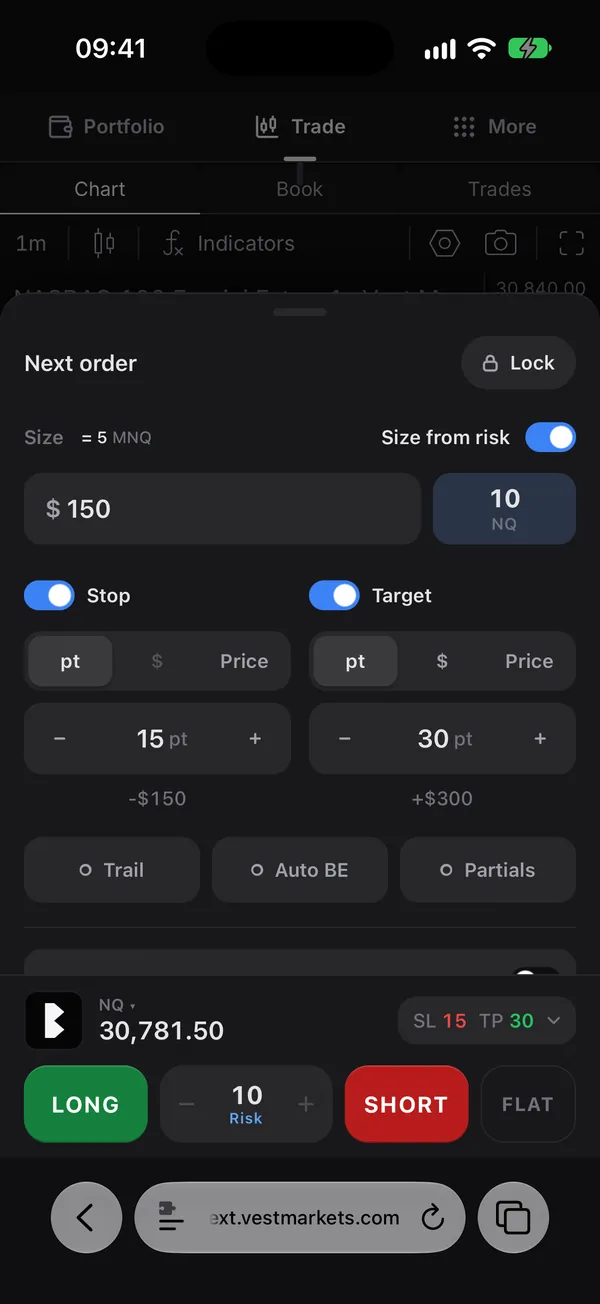
Size from risk
Type the dollars you want to risk; the size follows your stop.
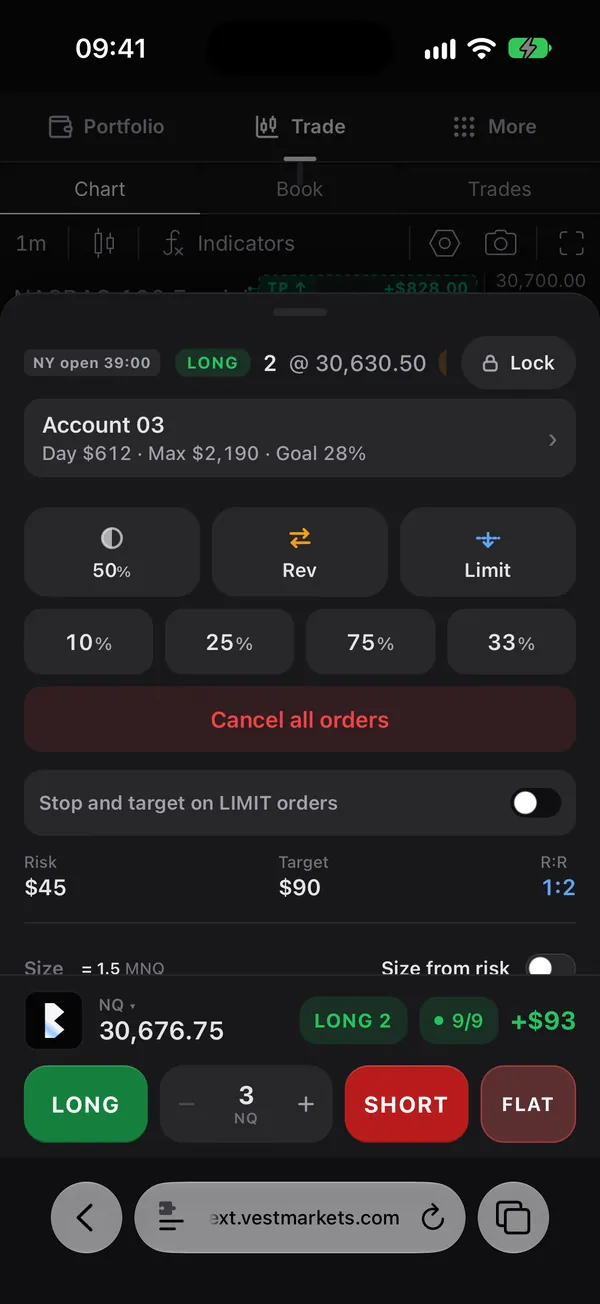
In a position
50%, REV, LIMIT, then 10%, 25%, 75%. The open and the news count down on top.
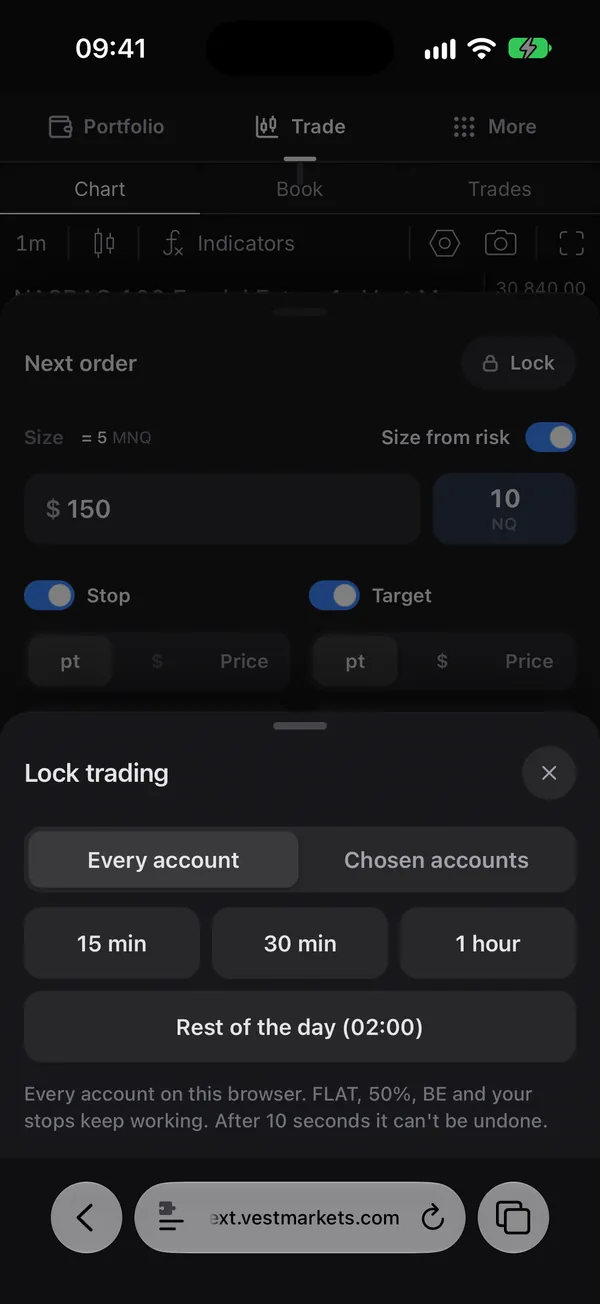
Lock
Lock trading from 15 minutes to the rest of the day, on the accounts you pick.
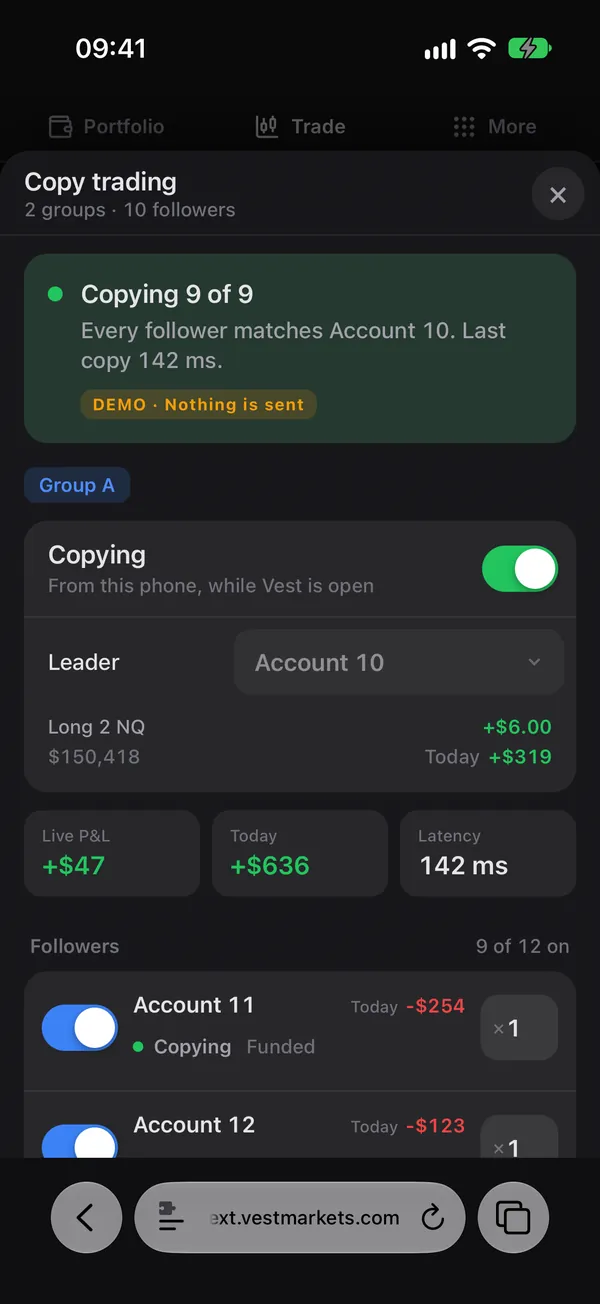
Copy trading
Your trades copied to your other accounts, each follower’s state in plain words.
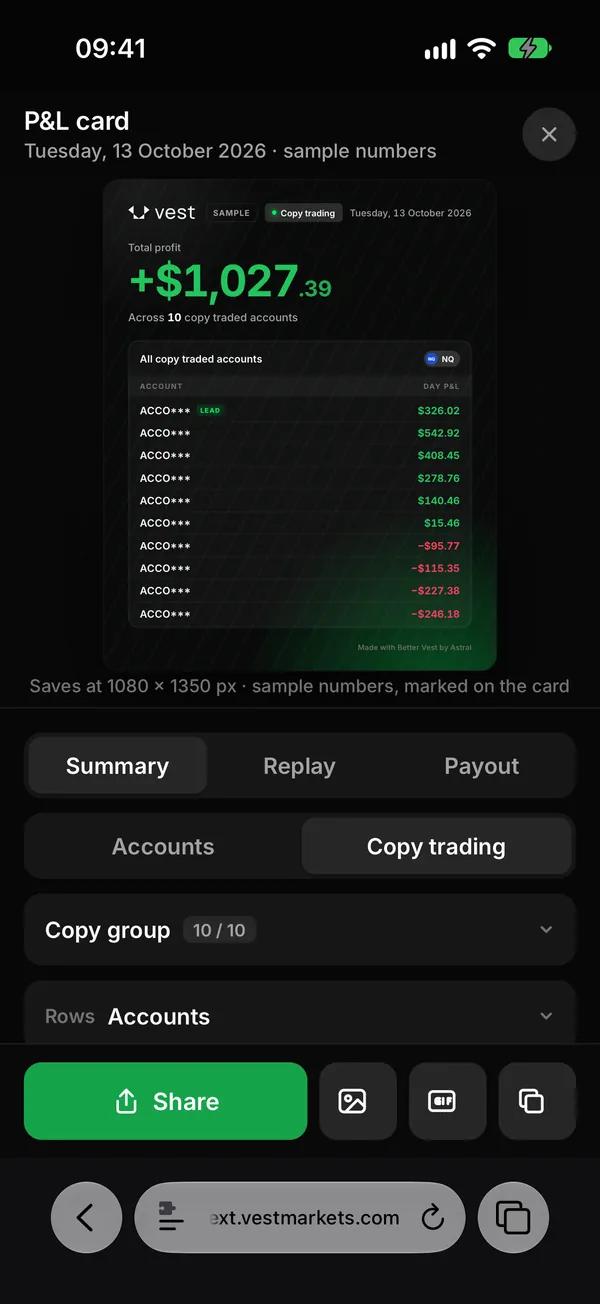
P&L card
Your day as a card, straight to your phone’s share sheet.
P&L GIF
Your trades replayed on the chart as a GIF, made on the phone.
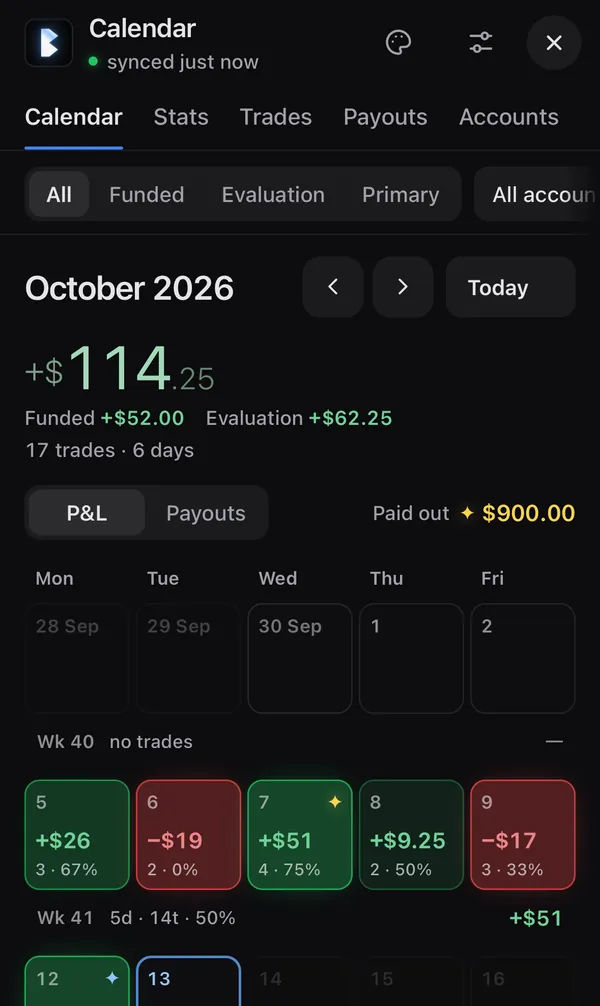
Calendar
Your trades day by day, read from Vest and kept on your phone.
Settings for the phone
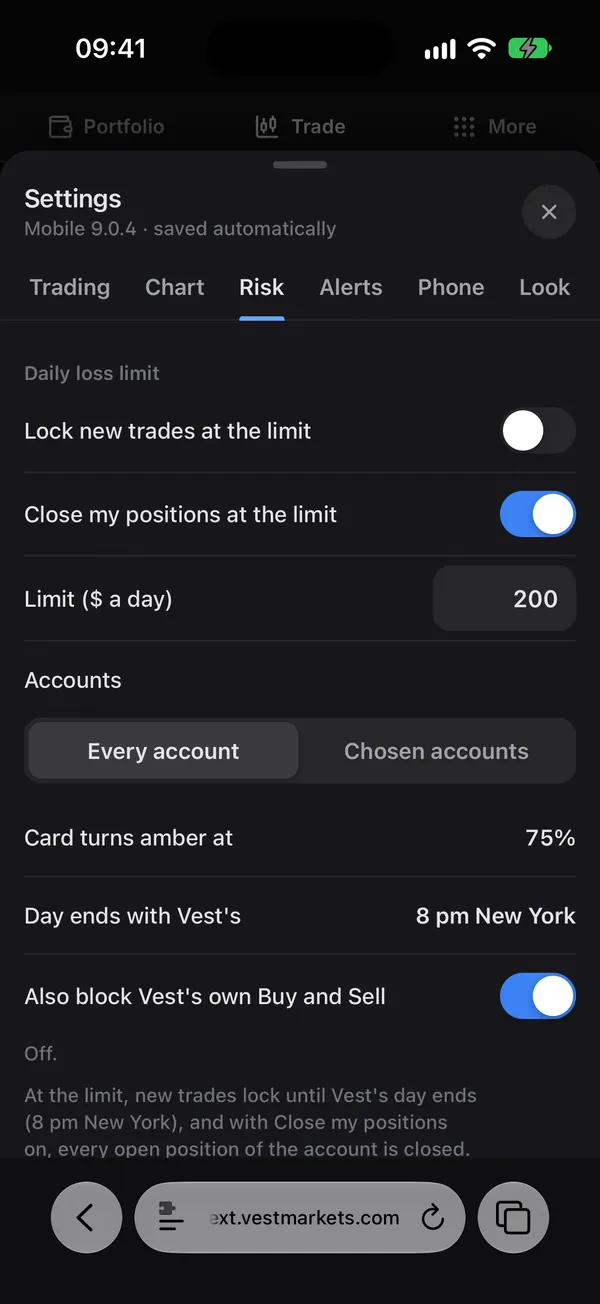
Loss and profit limits, the tilt guard, the voice and more, in six tabs.
The close guard
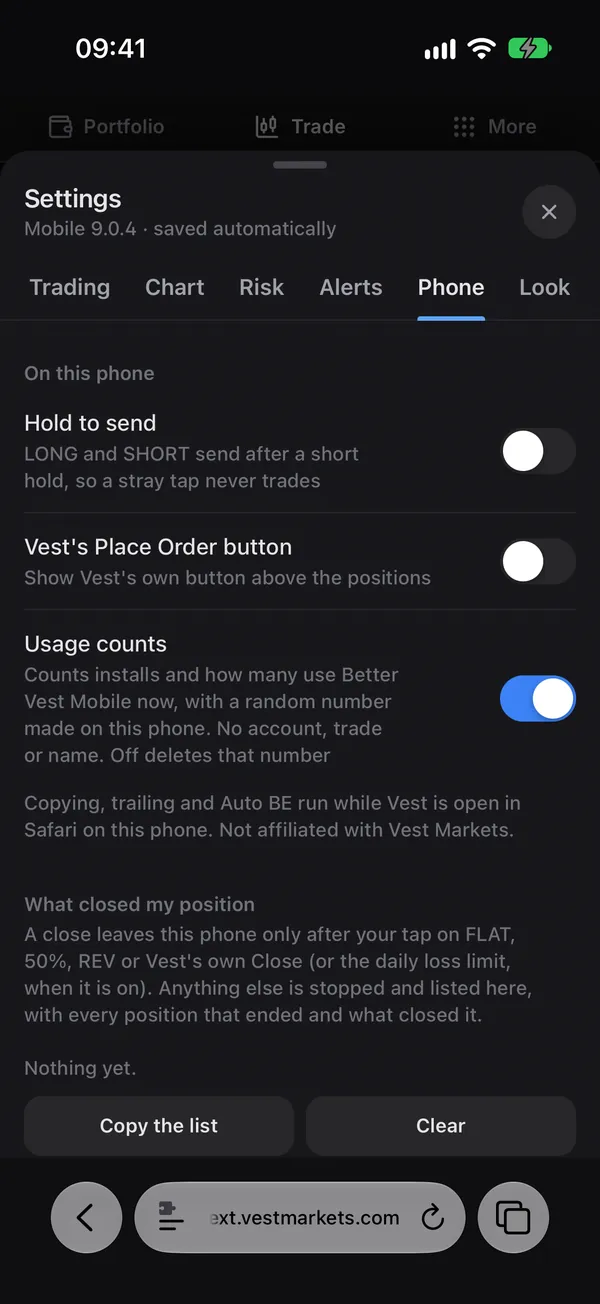
A close leaves the phone only after your tap. Settings lists every close.
How it works
Better Vest Mobile is a userscript: one file of JavaScript that a free app runs on Vest’s page. On an iPhone that app is Userscripts, from the App Store. On Android it’s Tampermonkey, in Firefox. You add the app once, install the script from this site, and open Vest.
It only runs on next.vestmarkets.com. Every order goes through Vest’s own buttons and Vest’s own code, the way you would place it by hand. When a new version is out, it asks you once, and updating takes a few taps.
It’s free to use, and you can read every line of it. It isn’t open source: the license says what you may do with it.
What it can and can’t doWhat leaves your phoneUpdatesLicense
Questions
Is it free?
Yes. No subscription, no trial, no account.
Is it open source?
No. It’s free to use and you can read its code, but it isn’t open source: you may not copy, change, re-upload or sell it. The license says it in full.
Does it need my login?
No. It runs on the Vest page you’re already logged in to, and it never asks for your password. What it reads and sends is on the Security and Privacy pages.
Does it work in Chrome on my iPhone?
No. On an iPhone it runs in Safari, with the free Userscripts app. Open Vest in Safari itself, not from a Home Screen icon: a Home Screen icon opens Vest as a web app, where extensions don’t run.
And on Android?
In Firefox, with the Tampermonkey add-on. I test on iPhone; Android runs the same script, and its steps are on the Android page.
Is it the same as the Chrome extension?
It’s built from the same code, with the order code checked byte for byte. A phone gets its own layout. Multi-chart, hotkeys and the copier’s Turbo mode stay on the computer.
Why did my look or my Calendar reset?
Safari clears a site’s stored data after 7 days of using Safari without opening that site. Opening Vest at least once a week keeps it. Your trades are safe with Vest; Better Vest’s own settings go back to their defaults.
Does copy trading run in the background?
It copies while Vest is open in Safari on your phone. A phone pauses a page that isn’t on screen, so copying waits while Safari is in the background or the screen is locked.
Better Vest Mobile
Free, for Vest traders.